
Download Altermind – Custom AI Chatbot Builder for Websites, Free Trial, Secure & Multi‑Language
Overview of Altermind
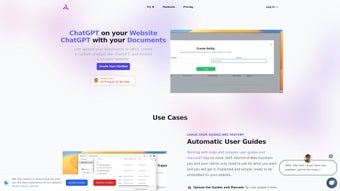
Altermind is a cloud‑based AI solution that empowers businesses, educators, and developers to create custom AI chatbots and web assistants without writing a single line of code. Built as a subscription‑driven web application, Altermind lets you upload your own documents—such as manuals, FAQs, policy guides, or product catalogs—and train an AI model that can answer visitor questions, generate concise summaries, and provide context‑aware recommendations. The platform is designed with user‑experience in mind: the generated assistants can be embedded on any website as a sleek widget or an iframe, matching your brand’s color palette and typography.
Multi‑language support ensures that global audiences receive accurate responses, while end‑to‑end encryption guarantees that your proprietary data stays private. Whether you need a support bot that resolves common tickets, a sales guide that walks prospects through product features, or an internal knowledge base for employees, Altermind offers a flexible, no‑code environment that scales with your needs. A free trial allows you to experiment with the builder, test model accuracy, and see real‑time engagement metrics before committing to a paid plan.
Beyond the core chatbot capabilities, Altermind provides a suite of auxiliary tools that help organizations maximize the value of their AI assistants. The built‑in analytics dashboard visualizes conversation trends, sentiment scores, and drop‑off points, enabling you to identify knowledge gaps and refine both the AI model and the underlying source documents. Altermind also supports role‑based access control, so administrators can delegate document uploads, widget styling, and analytics review to different team members without exposing sensitive settings.
For enterprises with strict compliance requirements, the platform offers audit logs, data residency options, and the ability to sign a Business Associate Agreement (BAA). Pricing is transparent, with a free tier that includes up to three active bots, a Starter plan for small teams, a Professional tier for growing businesses, and an Enterprise package that adds SLA guarantees, dedicated support, and on‑premise deployment options. Because the service runs entirely in the cloud, there are no hidden infrastructure costs, and updates are rolled out automatically, ensuring you always have the latest security patches and model improvements.
Key Features & Benefits
- No‑Code Model Training: Drag‑and‑drop your PDFs, Word files, or plain‑text resources; Altermind automatically extracts context and creates a domain‑specific AI.
- Customizable Widget Design: Choose fonts, colors, and button styles to align the chatbot UI with your brand identity.
- Multi‑Language Support: Native handling of over 30 languages, enabling seamless communication with international visitors.
- Secure Data Handling: TLS encryption in transit and AES‑256 at rest, plus GDPR‑compliant data policies.
- Real‑Time Analytics Dashboard: Track conversation volume, satisfaction scores, and common query topics to refine your content.
- Integration Flexibility: Embed via JavaScript widget, iframe, or use webhooks to connect with CRM, ticketing, and e‑commerce platforms.
- Scalable Subscription Plans: Free trial, Starter, Professional, and Enterprise tiers to match budgets and usage volume.
- Automatic Updates & Model Improvements: Altermind continuously refines its language models, delivering better accuracy without manual patches.
- Role‑Based Access & Audit Logs: Assign permissions to team members and maintain a full history of changes for compliance.
- Feedback Loop & Reinforcement Learning: Collect user ratings after each interaction to automatically improve answer relevance.
Why These Features Matter
Businesses often struggle with the technical overhead of building AI assistants. Altermind eliminates that barrier by handling data ingestion, model training, and hosting on a secure cloud. The visual customization tools mean marketing teams can roll out a chatbot that feels native to the website, preserving brand trust.
Multi‑language capability expands market reach, while encryption addresses the growing concern over data privacy. The analytics dashboard transforms raw conversation logs into actionable insights, allowing teams to identify knowledge gaps and improve both the AI and underlying documentation. Integration options mean you can sync chatbot interactions with existing support ticket systems, reducing manual effort and accelerating response times.
Role‑based access ensures that only authorized personnel can modify critical settings, which is essential for regulated industries. The feedback loop captures real‑world user sentiment, feeding it back into the model’s reinforcement learning pipeline for continuous improvement. Finally, the tiered pricing model makes Altermind accessible to startups testing a concept and to large enterprises requiring high‑volume, SLA‑backed deployments, ensuring that every organization can benefit from advanced AI without prohibitive costs.
Installation, Usage & Compatibility
Step‑by‑Step Setup
Getting started with Altermind is straightforward and designed for users of any technical background:
- Create an Account: Visit the Altermind website, click “Start Free Trial,” and register using your email or single‑sign‑on (SSO) credentials. A verification email confirms your identity and unlocks the dashboard.
- Upload Your Knowledge Base: In the dashboard, select “Add Documents,” then drag PDFs, DOCX, or plain‑text files. Altermind’s parser will index the content, automatically generate a hierarchical taxonomy, and suggest sections for training based on relevance.
- Configure the Assistant: Choose a template (Support Bot, Sales Guide, Knowledge Base), set the greeting message, define fallback responses, and adjust UI colors to match your brand. You can also enable language detection so the bot replies in the visitor’s preferred language.
- Test the Model: Use the built‑in chat sandbox to ask sample questions. Review the AI’s answers, tweak document weighting, and add “important phrase” tags to improve precision on critical topics.
- Embed on Your Site: Copy the generated JavaScript snippet or iframe URL and paste it into your website’s HTML footer, CMS widget area, or single‑page application framework (React, Vue, Angular). Altermind provides step‑by‑step guides for popular platforms like WordPress, Shopify, and Squarespace.
- Monitor & Optimize: Access the analytics panel to see usage stats, identify unanswered queries, and upload additional documents to improve accuracy. Set up email or Slack notifications for high‑priority escalations.
System Requirements & Operating System Support
Altermind is a fully hosted SaaS solution, which means you don’t need to install any software locally. It runs on any modern web browser (Chrome, Firefox, Edge, Safari) on Windows, macOS, Linux, as well as mobile browsers on Android and iOS. The backend infrastructure is built on AWS, ensuring high availability, automatic scaling, and compliance with ISO‑27001 security standards. For teams that require on‑premise deployment, Altermind offers an Enterprise‑grade containerized version that can be run on Docker‑compatible environments, though this option is limited to higher‑tier subscriptions and requires a dedicated security review.
Best Practices for Ongoing Use
To keep your AI assistant effective, regularly update the knowledge base with new product releases, policy changes, or FAQ updates. Use the “Feedback Loop” feature to collect user ratings after each interaction; this data feeds into the model’s reinforcement learning cycle, improving answer relevance over time. Additionally, set up webhooks to alert your support team when the bot escalates a query, ensuring a seamless handoff between AI and human agents. For organizations with strict compliance needs, schedule quarterly data‑privacy audits and leverage Altermind’s exportable audit logs to demonstrate adherence to GDPR, CCPA, or industry‑specific regulations. Finally, experiment with A/B testing of different greeting messages or widget placements to discover the configuration that drives the highest conversion or satisfaction scores.
Pros, Cons & Frequently Asked Questions
Pros
- No programming knowledge required – truly no‑code.
- Fast deployment: you can have a functional chatbot live within an hour.
- Robust security with end‑to‑end encryption and GDPR compliance.
- Multi‑language capabilities expand global reach.
- Rich analytics help refine both AI and source documents.
- Flexible embedding options for any website platform.
- Role‑based access control and audit logs for enterprise governance.
- Automatic model updates keep the AI current without manual effort.
Cons
- Advanced custom logic (e.g., conditional routing) requires higher‑tier plans.
- Large document sets may increase training time during initial upload.
- On‑premise deployment is only available for Enterprise customers.
- Free tier limits the number of active bots and concurrent users.
- Deep integration with niche CRMs may need custom webhook development.
FAQ – Your Questions Answered
Can I use Altermind for internal employee training?
Absolutely. Upload internal manuals, policy documents, or onboarding guides, and embed the assistant on your intranet or learning portal. Employees can ask questions in natural language and receive instant, accurate responses, reducing the load on HR and support teams.
How does Altermind ensure my data remains private?
All data is transmitted over TLS 1.3 and stored encrypted with AES‑256. Access controls are role‑based, and the platform complies with GDPR, CCPA, and ISO‑27001 standards. You can also request a data purge at any time via the dashboard.
Do I need a separate hosting plan for the chatbot widget?
No. The widget is served from Altermind’s CDN, so you only need to add the provided JavaScript snippet to your site. This eliminates extra hosting costs and ensures fast load times worldwide.
Is there a limit to the number of languages I can enable?
The standard plans support up to 30 languages. Enterprise customers can request additional language packs or custom language models for niche locales, and the pricing scales based on the number of active language instances.
What kind of support does Altermind provide?
All paid tiers include email support with a 24‑hour response window. Professional and Enterprise plans receive live chat, priority bug‑fix handling, and a dedicated account manager. Additionally, the knowledge base contains step‑by‑step tutorials, video walkthroughs, and community forums.
Can I integrate Altermind with my existing ticketing system?
Yes. Altermind provides webhooks and REST API endpoints that can push escalated conversations directly into popular ticketing platforms such as Zendesk, Freshdesk, or ServiceNow. This enables seamless handoffs from AI to human agents.
Overall, Altermind delivers a powerful, user‑friendly AI chatbot builder that meets the needs of small businesses and large enterprises alike. The combination of no‑code training, robust security, multilingual support, and deep analytics makes it a standout choice in the crowded AI assistant market.
Conclusion & Call to Action
Altermind bridges the gap between sophisticated AI technology and everyday users who lack programming expertise. By allowing you to upload existing documentation, automatically train a domain‑specific model, and embed a brand‑consistent assistant on any website, the platform accelerates customer support, boosts conversion rates, and reduces operational costs. Its secure, multi‑language architecture ensures that both local and global audiences receive reliable help, while the analytics suite provides continuous improvement pathways. Whether you’re a startup testing a proof‑of‑concept, a mid‑size firm looking to scale support, or an established enterprise needing enterprise‑grade security and on‑premise options, Altermind’s tiered subscription model offers flexibility and value.
Ready to transform your website’s interaction experience? Start your free trial today and see how quickly a custom AI chatbot can be live on your site. For businesses that need extra assurance, contact the sales team for an Enterprise demo and discuss tailored security, on‑premise deployment, and volume discounts. Download Altermind now, and join thousands of organizations that are already delivering faster, smarter, and more personalized digital experiences.



.png)



